
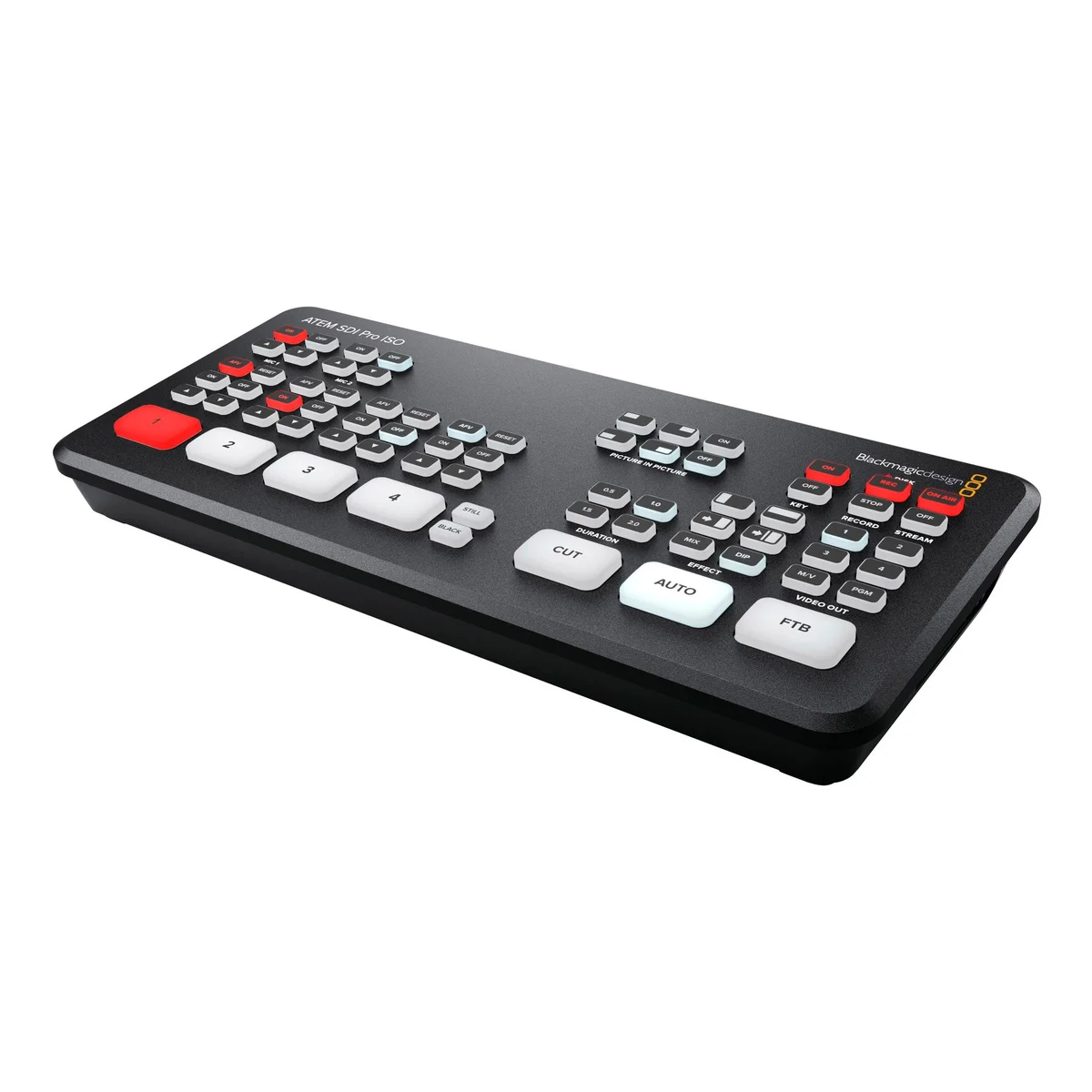
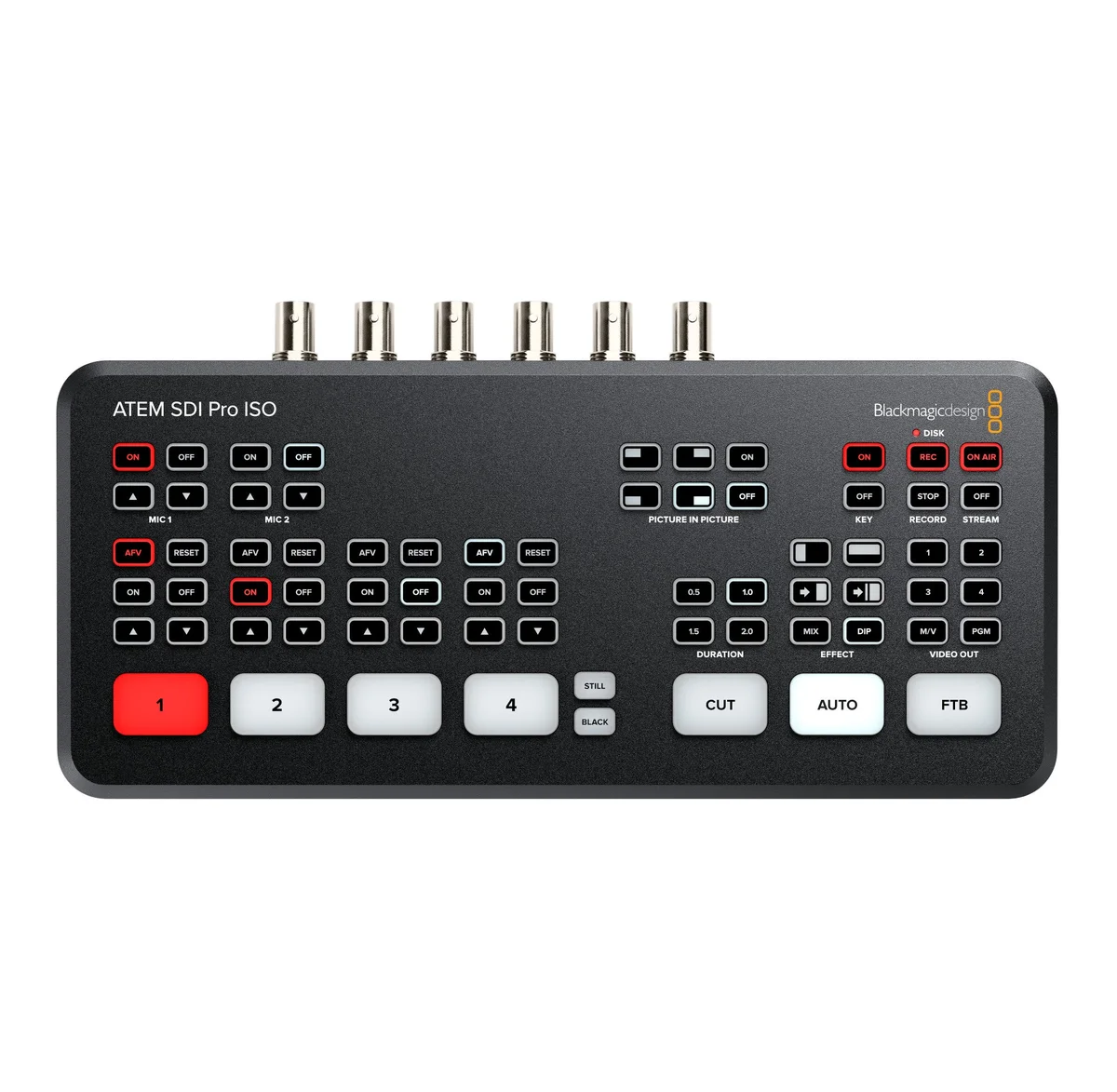
Blackmagic Design ATEM SDI Pro ISO
This model includes the features of ATEM SDI plus it adds built in streaming and recording up to 5 video streams in real time! That’s a clean feed of all inputs for multi-cam editing.
This model includes the features of ATEM SDI plus it adds built in streaming and recording up to 5 video streams in real time! That’s a clean feed of all inputs for multi-cam editing. A DaVinci Resolve project is saved so you can open your live production to edit, remix audio and add color correction.
ATEM SDI Pro Iso gives you the portable design of ATEM Mini, but its SDI connections means you can connect advanced broadcast quality cameras and recorders. This opens up a whole new world of ultra portable live production. The incredibly portable design means you can fit a whole broadcast quality live production system in a small bag or even a backpack!You can use multiple cameras on location and live stream direct to YouTube, or create a broadcast quality link back to a studio with ATEM Streaming Bridge. Unlike single camera remote shoots, ATEM SDI Pro Iso lets you connect multiple cameras so you can create interesting remote interviews with multiple camera angles.
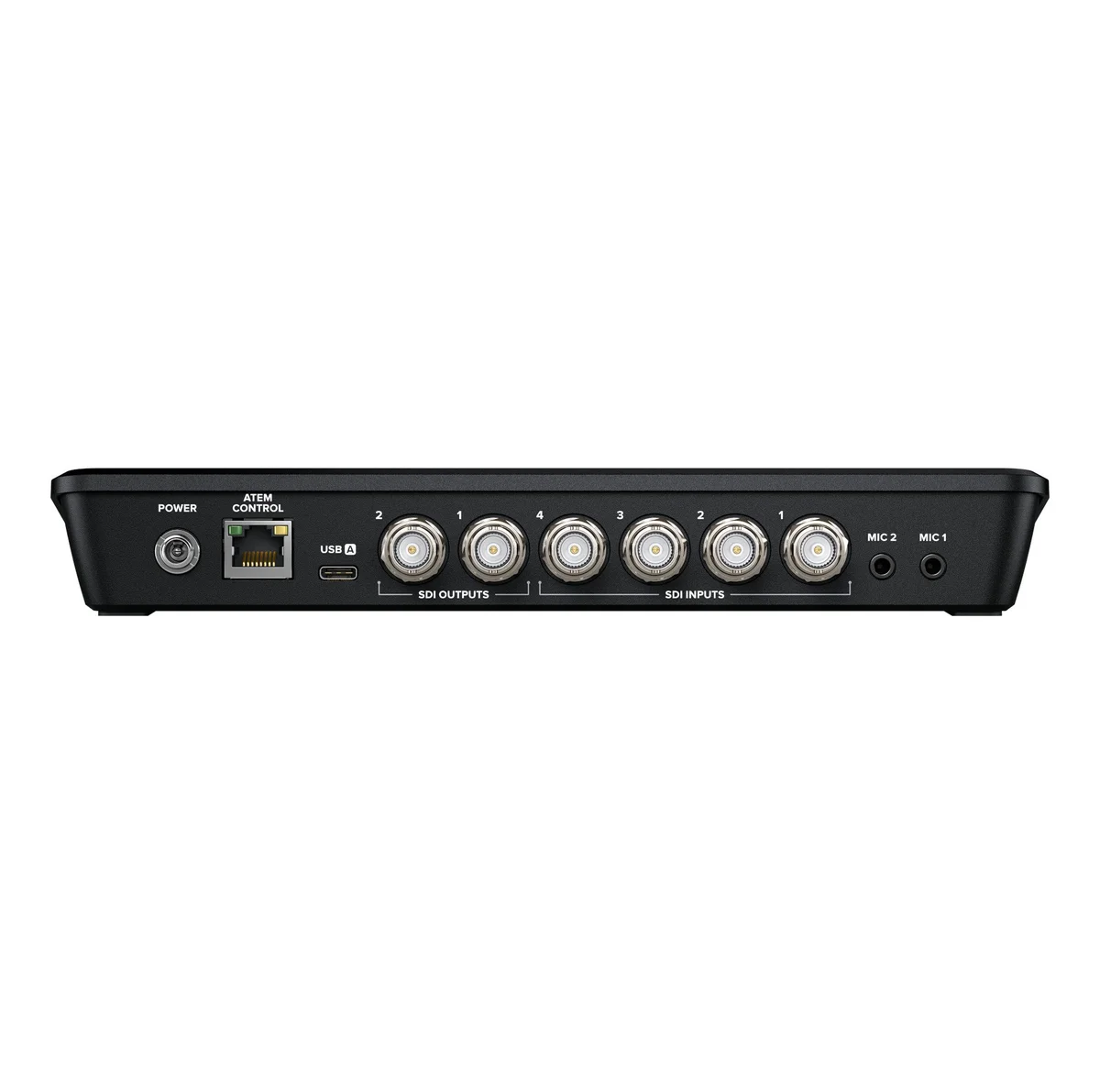
ATEM SDI Pro Iso has buttons for recording and streaming control, as well as output selection buttons that let you change the video output between program, direct camera feeds and the multi-view. On the rear panel there are SDI connections for cameras, extra microphone inputs, USB for webcam plus multiple SDI “aux” outputs for program video.
The switcher is easy to use; simply press any of the input buttons labeled by number on the front panel to cut between video sources. You can choose between cut or effects transitions by selecting the cut or auto buttons. Unlike cut, the auto button tells ATEM SDI Pro Iso to use a video effect when switching inputs. You can select from exciting transitions such as dissolve, or more dramatic effects such as dip to color, DVE squeeze and DVE push. Add a DVE effect for picture in picture effects with customized picture positions and background. There are even “media players” which are a still store for titles and graphics that you can load via external software control.
ATEM SDI Pro Iso lets you connect multiple cameras for different views of the performance. Video cameras with SDI outputs such as Blackmagic Studio Camera or Blackmagic URSA Broadcast G2 are much better quality as they have better low light performance and they use professional lenses. All videosources will re-sync to the switcher, even if they operate at different video standards. Everything just works so setup on location is easy and you don’t have to worry about technical problems.
To ensure maximum compatibility, all ATEM SDI Pro ISO models feature USB that operates as a simple webcam source. That means you can plug into a computer and get working with any video software! The software is tricked into thinking the ATEM SDI is a common webcam, but it’s really a live production switcher. That guarantees full compatibility with any video software and in full resolution 1080HD quality. Choose any software you like, such as Zoom, Microsoft Teams or Skype for a new way to do presentations with a professional multi camera broadcast quality style! The ATEM SDI webcam output also works with streaming software such as Open Broadcaster, XSplit Broadcaster and more!
ATEM SDI Pro models have a built in hardware streaming engine for live streaming via their ethernet connections. That means you can live stream to YouTube, Facebook and Twitch in better quality, without dropped frames and with simpler settings. Just select the streaming service and enter the streaming key! There arepalettes in ATEM Software Control for streaming setup, plus streaming status is also displayed in the multi-view. Streaming status is easy to understand as the data rate indicator shows internet speed required for the video format you’re using. If you’re technically minded, you can update the streaming profiles in an XML settings file to load new services.
ATEM SDI Pro models have a built in hardware streaming engine for live streaming via their ethernet connections. That means you can live stream to YouTube, Facebook and Twitch in better quality, without dropped frames and with simpler settings. Just select the streaming service and enter the streaming key! There arepalettes in ATEM Software Control for streaming setup, plus streaming status is also displayed in the multi-view. Streaming status is easy to understand as the data rate indicator shows internet speed required for the video format you’re using. If you’re technically minded, you can update the streaming profiles in an XML settings file to load new services.
If you’re doing live production on location then the ATEM SDI Pro models support connecting an Apple or Android phone to the USB port to use mobile data! It’s also a great backup for the main Ethernet connection. Phone tethering works with the latest high speed 5G phones plus the more common 4G phones! The ATEM switcher will automatically detect when a phone is connected and switch its internet connection to us
| Weight | 1.50 lbs |
|---|---|
| Brand | 1 Source Video |
Related products
$3,379.00
$1,095.00
$12,375.00
$4,505.00
$4,065.00


Reviews
There are no reviews yet.