
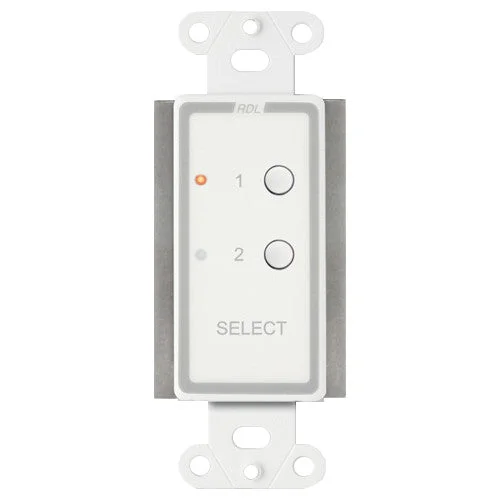

RDL D-RC2ST 2-Channel Remote Control for STICK-ON
The front panel of the D-RC2ST features two pushbuttons with two associated LEDs. Upon initial power-up, source 1 is selected. Touching the other button de-selects source 1 and immediately selects source 2.
The front panel of the D-RC2ST features two pushbuttons with two associated LEDs. Upon initial power-up, source 1 is selected. Touching the other button de-selects source 1 and immediately selects source 2. An LED adjacent to each button shows which source is selected.
In a typical installation, the D-RC2ST may be used to select between two audio or video sources, or to route audio to two destinations. To select between two audio sources, the D-RC2ST is connected to an RDL ST-SSR1 Solid-State Audio Switch. For video switching, an RDL TX-MVX may be used. For audio routing, an RDL ST-RX2 is used. In each of the above examples, only one output terminal is needed for triggering. Therefore a single shielded pair (or 3-conductor cable) is required for remote connection. For more complex switching networks, both outputs may be used.
| Weight | 0.10 lbs |
|---|---|
| Brand | RDL |
| Channels | 2 |
Related products
Original price was: $1,499.00.$1,199.00Current price is: $1,199.00.
Original price was: $71.42.$53.56Current price is: $53.56.
Original price was: $330.00.$284.99Current price is: $284.99.
Original price was: $1,320.00.$1,149.00Current price is: $1,149.00.
Original price was: $142.99.$99.99Current price is: $99.99.


Reviews
There are no reviews yet.