
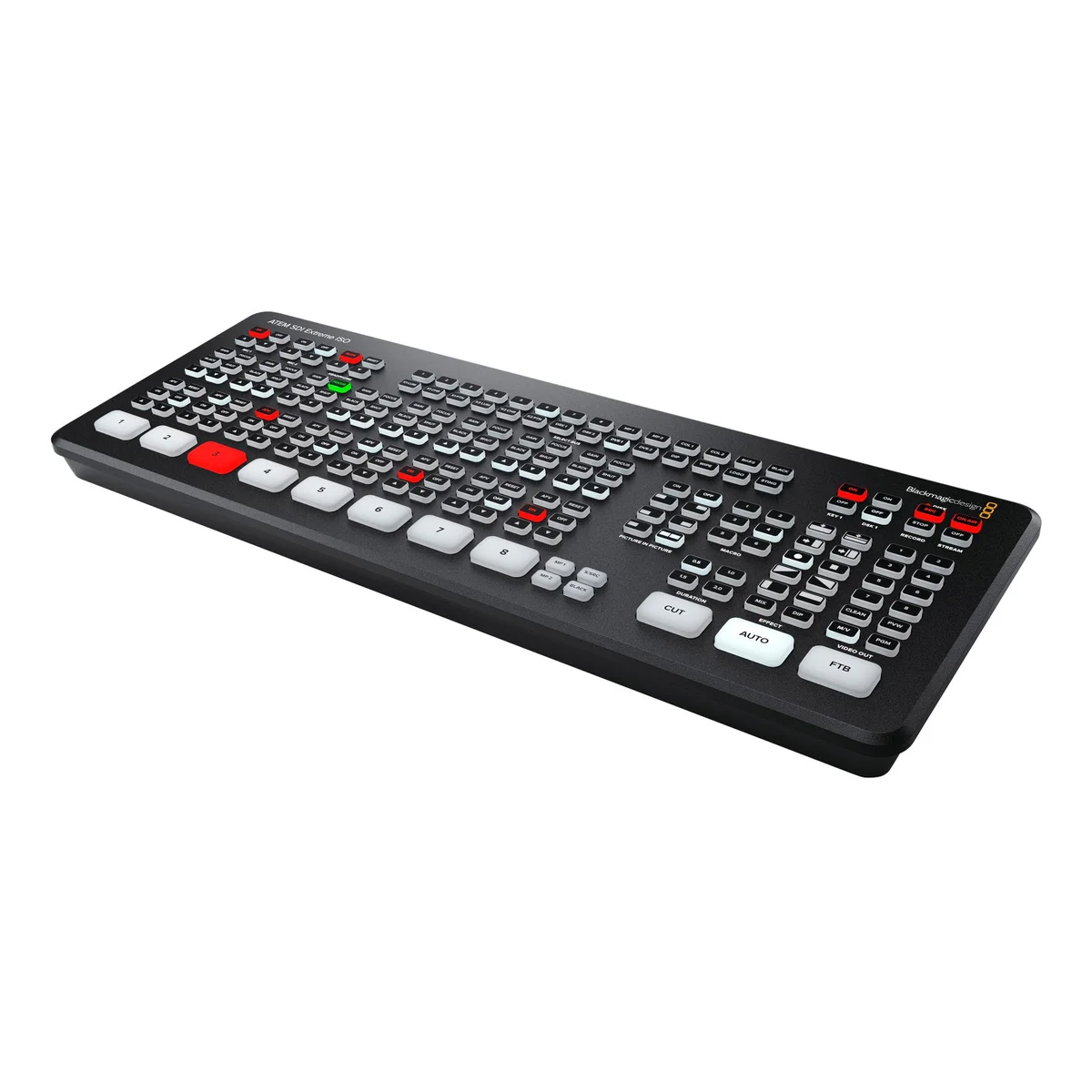
Blackmagic Design ATEM SDI Extreme ISO
ATEM SDI Extreme Iso gives you the portable design of ATEM Mini, but its SDI connections means you can connect advanced broadcast quality cameras and recorders. This opens up a whole new world of ultra portable live production.
ATEM SDI Extreme Iso gives you the portable design of ATEM Mini, but its SDI connections means you can connect advanced broadcast quality cameras and recorders. This opens up a whole new world of ultra portable live production. The incredibly portable design means you can fit a whole broadcast quality live production system in a small bag or even a backpack!You can use multiple cameras on location and live stream direct to YouTube, or create a broadcast quality link back to a studio with ATEM Streaming Bridge. Unlike single camera remote shoots, ATEM SDI Extreme Iso lets you connect multiple cameras so you can create interesting remote interviews with multiple camera angles.
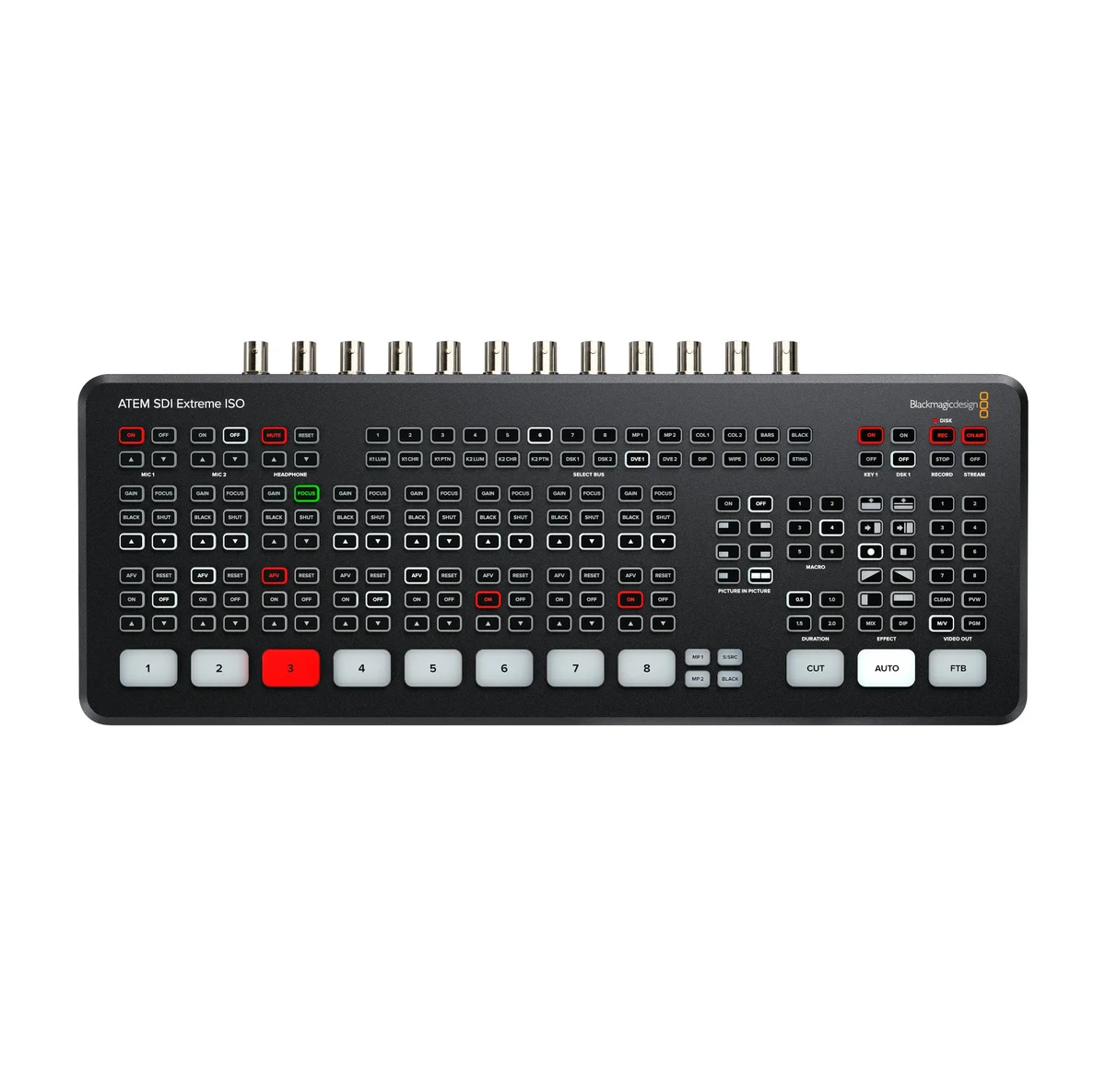
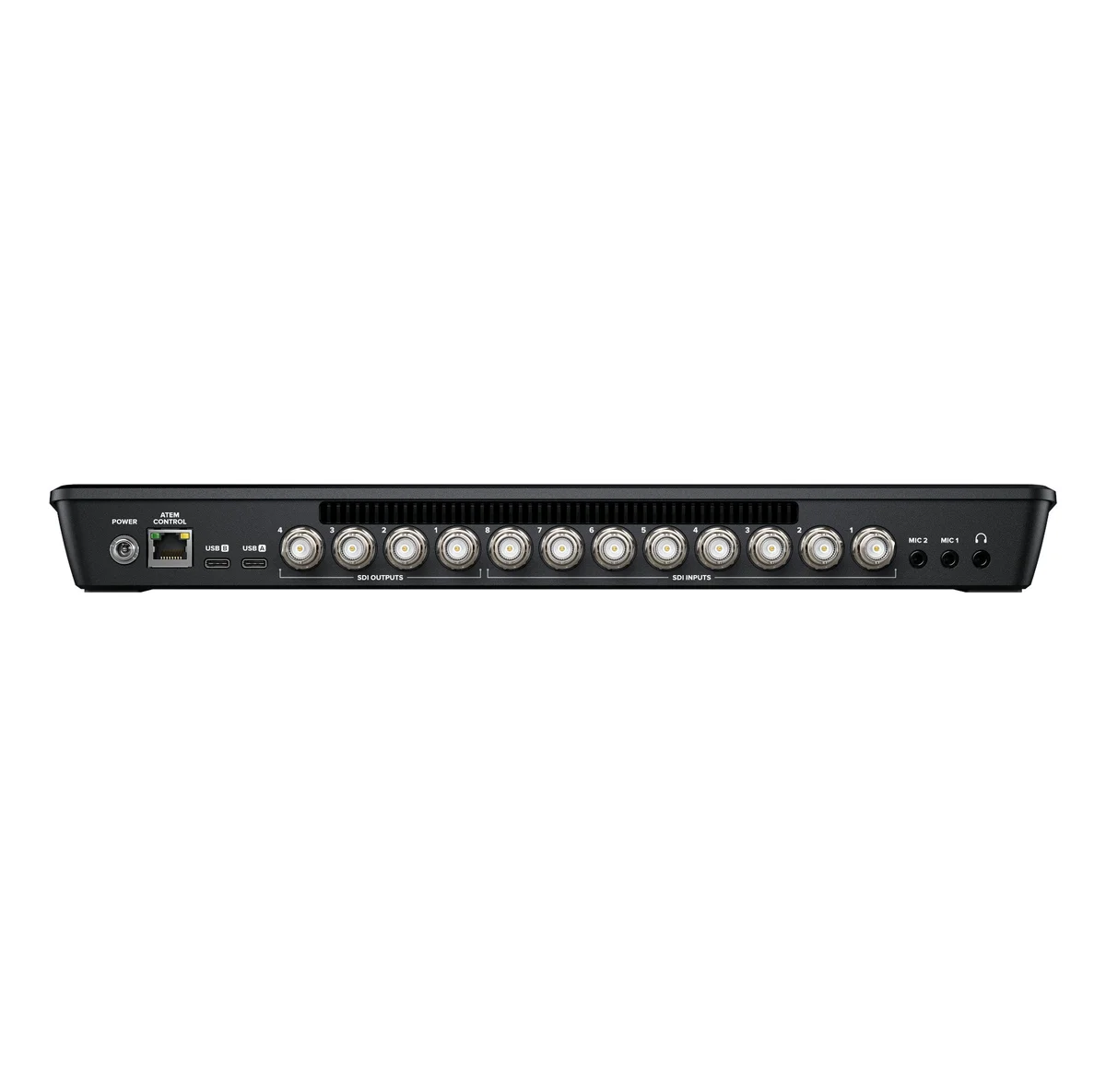
ATEM SDI Extreme Iso has buttons for recording and streaming control, as well as output selection buttons that let you change the video output between program, direct camera feeds and the multi-view. On the rear panel there are SDI connections for cameras, extra microphone inputs, USB for webcam plus multiple SDI “aux” outputs for program video.
It’s easy to learn how to use the switcher; simply press any of the input buttons labelled by number on the front panel to cut between video sources. You can choose between cut or effects transitions by selecting the cut or auto buttons. Unlike cut, the auto button tells ATEM SDI Extreme Iso to use a video effect when switching inputs. You can select from exciting transitions such as dissolve, or more dramatic effects such as dip to color, DVE squeeze and DVE push. Add a DVE effect for picture in picture effects with customized picture positions and background. There are even “media players” which are a still store for titles and graphics that you can load via external software control.
ATEM SDI Extreme Iso lets you connect multiple cameras for different views of the performance. Video cameras with SDI outputs such as Blackmagic Studio Camera or Blackmagic URSA Broadcast G2 are much better quality as they have better low light performance and they use professional lenses. All videosources will re-sync to the switcher, even if they operate at different video standards. Everything just works so setup on location is easy and you don’t have to worry about technical problems.
To ensure maximum compatibility, all ATEM SDI Extreme ISO models feature USB that operates as a simple webcam source. That means you can plug into a computer and get working with any video software! The software is tricked into thinking the ATEM SDI Extreme ISO is a common webcam, but it’s really a live production switcher. That guarantees full compatibility with any video software and in full resolution 1080HD quality. Choose any software you like, such as Zoom, Microsoft Teams or Skype for a new way to do presentations with a professional multi camera broadcast quality style! The ATEM SDI webcam output also works with streaming software such as Open Broadcaster, XSplit Broadcaster and more.
The ATEM SDI Extreme models also support direct recording of your streaming data to USB flash disks! That means you get very long recordings in the same H.264 video files with AAC audio that you streamed, so you can direct upload to any online video site, such as YouTube or Vimeo. Recording to multiple disks is also supported via a USB hub so when a disk fills, recording can continue to a second disk so you get non-stop recording. Record settings and disk selection are set up in ATEM Software Control and you can also display the recording status in the multi-view.
One of the benefits of ATEM SDI Extreme ISO is the professional production values that are possible using the range of built in video effects! The cut button ensures an instant cut when switching between sources. The auto button is a professional term that’s used on large broadcast switchers to enable video effect transitions. There are duration buttons for video effects allowing 0.5, 1, 1.5 and 2 second settings. You can also select the type of effect you want including mix, which does a smooth transition between sources, and dip which fades via a color during the transition. Or use fun DVE effects that move the image off screen when transitioning between sources.
With two independent 3.5mm stereo audio inputs, you can connect desktop and lapel microphones. You can even connect a music player to generate introduction music after the live stream commences but before the program starts. With 2 extra stereo audio inputs, you can ensure a host and guest both have lapel microphones when doing interviews. All audio inputs to ATEM SDI Extreme ISO include buttons on the panel for adjusting audio level and enabling inputs into the audio mixer. Plus all models feature a Fairlight audio mixer with all SDI inputs and both microphone inputs connected to the audio mixer allowing live mixing from all your audio sources. The ATEM SDI Extreme also adds a headphone output.
While ATEM SDI Extreme ISO is easy to use, it also has very powerfu
| Weight | 4.90 lbs |
|---|---|
| Brand | 1 Source Video |
Related products
$385.00
$1,095.00
$875.00
$11,039.00
$4,065.00


Reviews
There are no reviews yet.